Note
Go to the end to download the full example code
Panel Placement
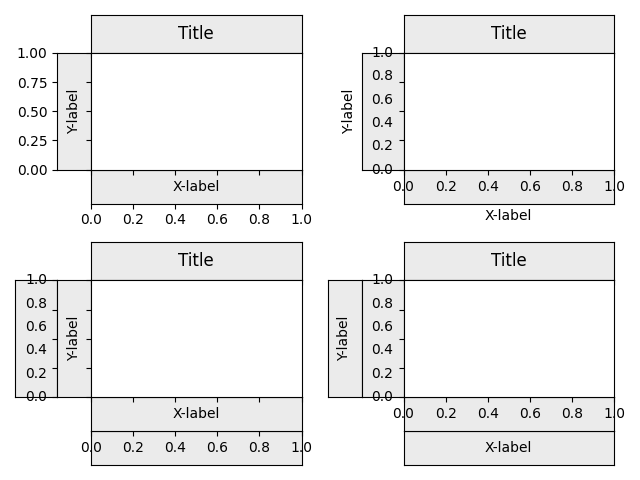
/home/docs/checkouts/readthedocs.org/user_builds/mpl-visual-context/checkouts/0.9.2/examples/panel/test_panel_axes.py:42: UserWarning: This figure includes Axes that are not compatible with tight_layout, so results might be incorrect.
  fig.tight_layout()
import matplotlib.pyplot as plt

from mpl_toolkits.axes_grid1.axes_divider import make_axes_locatable

# from mpl_visual_context.axes_panel import axis_to_panels, title_to_panel
from mpl_visual_context.axes_panel import InsetDivider, AxesDivider
from mpl_visual_context.axes_panel import add_panel

fig, axs = plt.subplots(2, 2, num=1, clear=True)
fig.tight_layout()

for ax, which in zip(
    axs.flat,
    [["label"], ["ticklabels"], ["label", "ticklabels"], ["ticklabels", "label"]],
):

    ax.set_ylabel("Y-label")
    ax.set_xlabel("X-label")
    ax.set_title("Title")

    # divider = AxesDivider(ax)
    divider = InsetDivider(ax)

    ax_host = ax
    for w in which:
        ax1 = add_panel(divider, "left", w, pad=0)
        ax_host = ax1

    ax_host = ax
    for w in which:
        ax1 = add_panel(divider, "bottom", w, pad=0)
        ax_host = ax1

    add_panel(divider, "top", "title", pad=0)

fig.tight_layout()
plt.show()
Total running time of the script: (0 minutes 2.204 seconds)